Check permissions by URL with simple URL mapping
Check whether a user can call an HTTP URL, without translating the URL into a resource and an action in your code. This page is for developers who enforce permissions at the API layer, such as a gateway or middleware. You map each HTTP method and URL template to a Permit resource and action, then send the request URL to the policy decision point (PDP), which finds the matching rule and runs a standard permission check.
How URL mapping works
A URL mapping rule links an HTTP method and a URL to a resource and an action. When the PDP receives a URL check:
- The PDP finds the mapping rules with the same HTTP method (case-insensitive) and a URL that matches the request URL.
- When several rules match, the PDP uses the rule with the highest priority.
- The PDP extracts the values of URL variables, such as
{customer_id}, and passes them to the check as resource attributes. - The PDP checks whether the user can perform the rule's action on the rule's resource in the given tenant, and returns the decision.
For URL patterns that need regular expressions, see Regex URL mapping check.
Prerequisites
- A Permit.io policy with the resources and actions your URLs map to (Configure your first RBAC policy)
- Docker, to run a container PDP version 0.2.19 or later
- Your environment API key (Get your API key)
Write a URL template
A simple mapping rule URL is a template. Put a variable in curly braces, {var}, in place of a path segment or a query parameter value. For example, https://example.com/v1/{customer_id}/payments matches https://example.com/v1/123/payments and https://example.com/v1/456/payments. One template rule covers every customer, instead of one rule per customer.
The PDP compares a template to the request URL segment by segment:
- Each literal segment must equal the request segment, including the scheme and host.
- A
{var}segment matches any single segment, and the PDP passes its value as thevarresource attribute. - The template and the request URL must have the same number of segments.
- A query parameter in the template must be present in the request URL. A
{var}query value matches any value.
1. Create a URL mapping rule
Create mapping rules in the URL Mapping screen of the Permit dashboard.
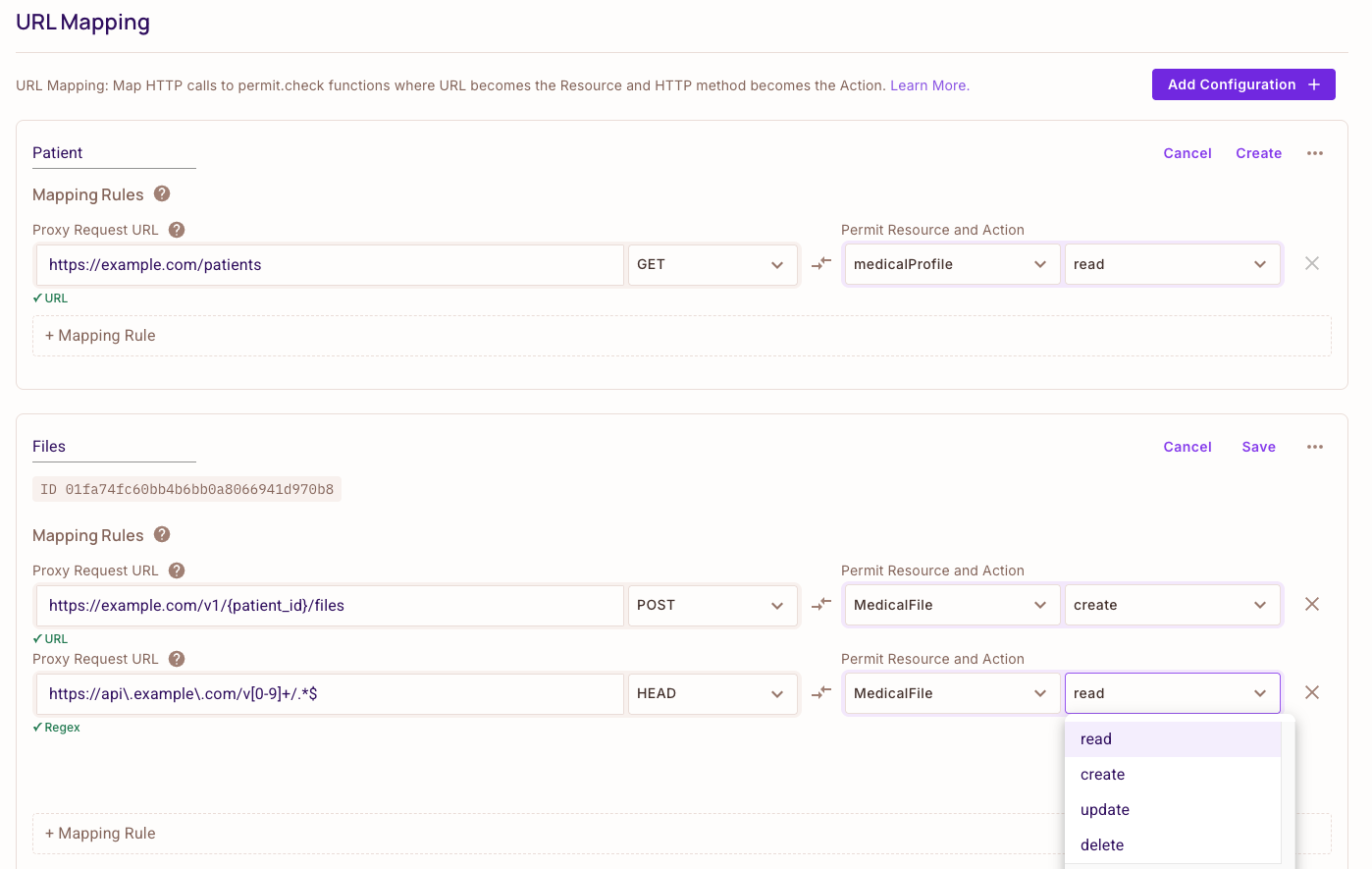
Each rule sets the HTTP method, the URL template, the resource, and the action.
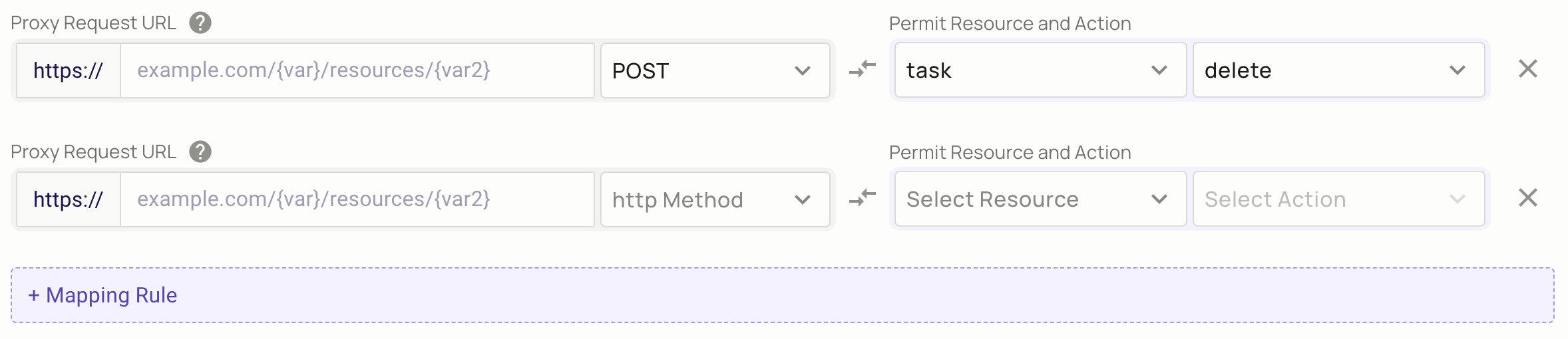
To create rules with the Permit API instead, see Create a regex mapping rule with the API. For a simple template rule, leave out url_type.
2. Run the PDP
URL checks run on a container PDP. Start one with your environment API key:
docker run -it \
  -p 7766:7000 \
  --env PDP_API_KEY=permit_key_{your_permit_env_key} \
  --env PDP_DEBUG=True \
  permitio/pdp-v2:latest
Simple URL mapping requires PDP version 0.2.19 or later.
3. Check a URL
Send the user, the HTTP method, the full request URL, and the tenant to the PDP's POST /allowed_url endpoint. This example assumes the PDP runs locally on port 7766:
curl --location 'http://localhost:7766/allowed_url' \
--header 'Content-Type: application/json' \
--header 'Accept: application/json' \
--header 'Authorization: Bearer permit_key_{your_key}' \
--data '{
  "user": {
    "key": "raz@permit.io"
  },
  "url": "https://example.com/endpoint?param=value",
  "http_method": "POST",
  "tenant": "default"
}'
In Java, call permit.checkUrl(user, httpMethod, url, tenant) instead. The other SDKs don't have a URL check function, so call the /allowed_url endpoint over HTTP. For the full request and response schema, see the PDP API reference.
Verify the URL check result
The response contains an allow field:
"allow": truemeans the user can perform the mapped action on the mapped resource."allow": falsewith adebug.reasonofMatched mapping rule not found for the requested URL and HTTP methodmeans no rule matches the URL and method. Compare the URL, including scheme, host, and segment count, and the HTTP method with your mapping rules."allow": falsewithout that reason means a rule matched, and the policy denies the action.