Model Ownership
Set up resource ownership in Permit.io, so that users can act on the resources they own. This guide is for developers who need an ownership rule and want to choose between attribute-based access control (ABAC) and relationship-based access control (ReBAC).
Both approaches implement this example:
Bob, a user in your application, can read, update, and delete the files he owns.
Choose an approach
| Approach | How ownership is stored | Strengths | Limitations |
|---|---|---|---|
| ABAC | An owner attribute on each resource | Per-resource control, with no relationship data to sync | Can't follow application relationships, such as a file inside a folder. You set the owner on every resource. |
| ReBAC | An owner role on a parent resource, derived to its children | Ownership follows your resource hierarchy | More parts to model: relations, resource roles, role derivations, and instance relationships |
You can also model ownership with role-based access control (RBAC) roles. Roles don't refer to a specific resource, so you would need a separate role for each user and each resource. This approach doesn't scale beyond a few resources.
Prerequisites
- A Permit.io account with a project and an environment. See the Quickstart.
- A resource called
File. For the ReBAC approach, also a resource calledFolder. See Policy basics. - For the ABAC approach, a role called
User, assigned to the userBobon the Directory screen. - To verify with a check: a Permit SDK connected to a policy decision point (PDP). See Check permissions with permit.check().
ABAC
ABAC decides access based on attributes of users and resources. For ownership, each file has an owner attribute. A resource set matches the files whose owner equals the key of the user who makes the request, and you grant that resource set its actions.
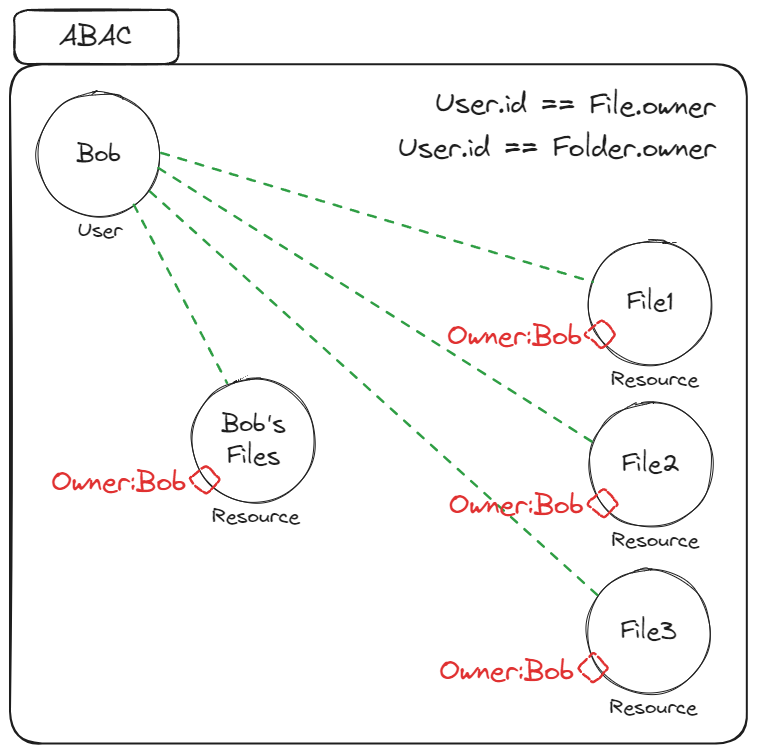
Set up ABAC ownership in Permit
- Sign in to the Permit dashboard.
- Open Policy and select the Resources tab. Find the
Fileresource and click Add Attributes.
- In the resource editor, under ABAC Options, click Add attribute.
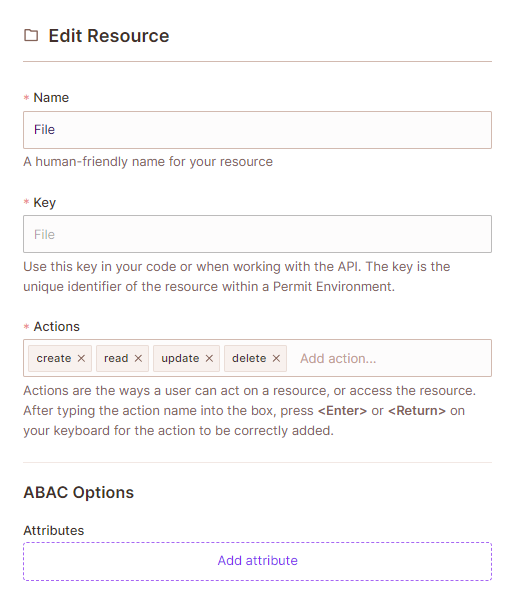
- Name the attribute
owner, set its type to String, and click Save.
- Select the ABAC Rules tab and create a resource set:
- Name:
file ownership(keyfile_ownership) - Resource type:
File - Condition:
resource.ownerequals (ref)user.key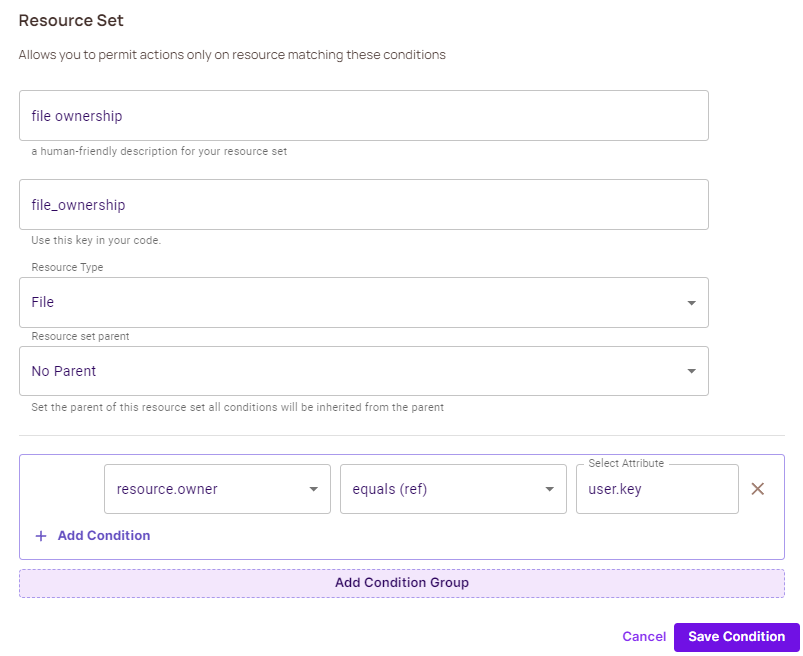
- Name:
- Select the Policy Editor tab. Under the
Userrole, selectread,update, anddeletefor thefile ownershipresource set, and save.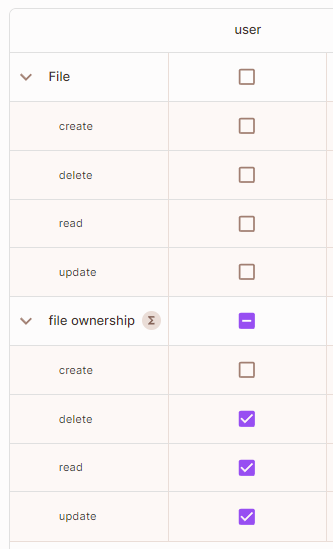
The resource set matches a file when its owner attribute equals the user.key of the user who makes the request.
Verify ABAC ownership
Call permit.check() for Bob on a file, and pass the owner attribute:
permit.check("Bob", "update", { type: "File", attributes: { owner: "Bob" } })returnstrue.- The same check with
owner: "Alice"returnsfalse.
ReBAC
ReBAC decides access based on relationships between resource instances. For ownership, a user who owns a folder also owns every file in the folder, through a parent-child relationship between the folder and its files.
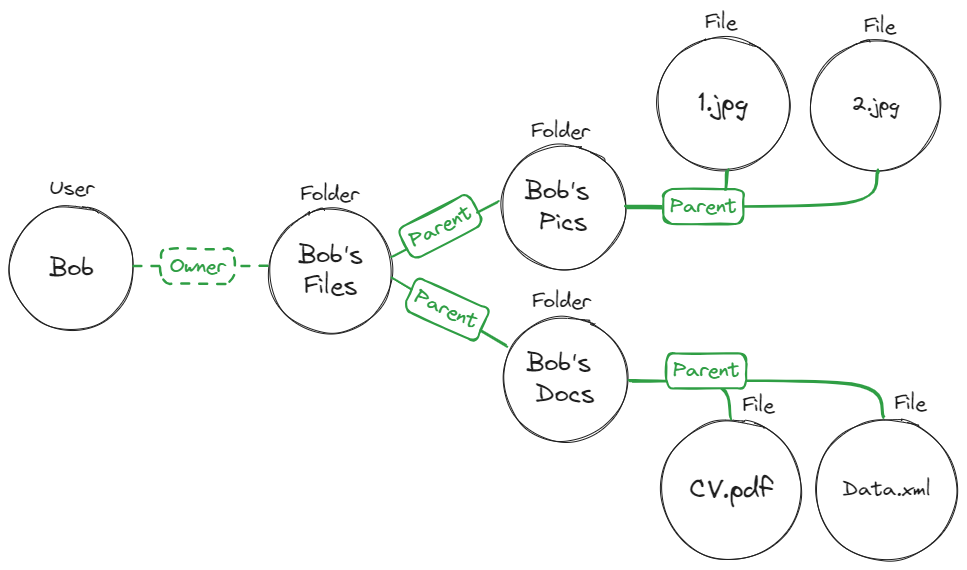
The ReBAC policy for this graph is:
A user who is assigned the role Folder#Owner is also assigned the role File#Owner when the Folder instance is the Parent of a File instance.
If a file is in a folder (a parent-child relationship), and a user owns the folder, the user also owns the files in the folder.
Set up ReBAC ownership in Permit
- Sign in to the Permit dashboard.
- Open Policy and select the Resources tab. Click Add Roles on a resource.
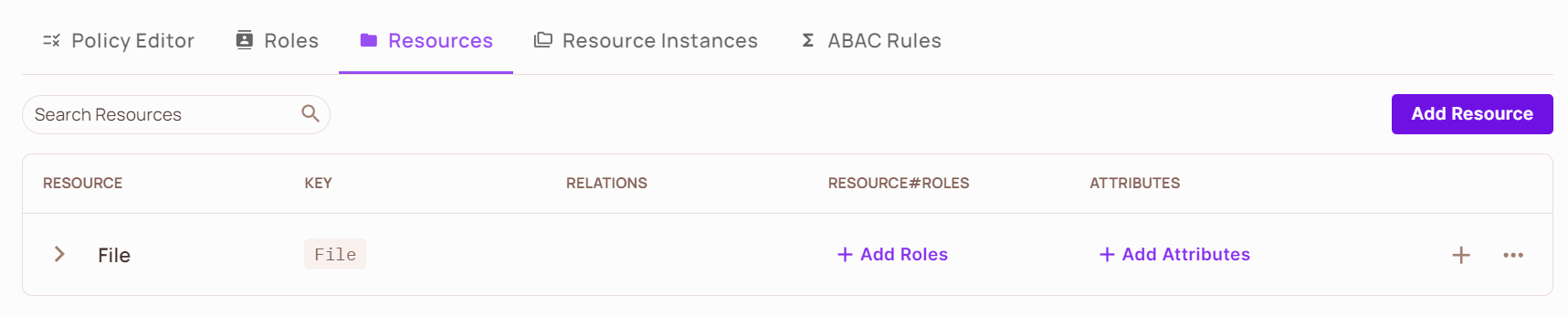
- Under ReBAC Options, add a resource role named
ownerto both theFileandFolderresources. In theFolderresource, add the relationfolderis parent offile.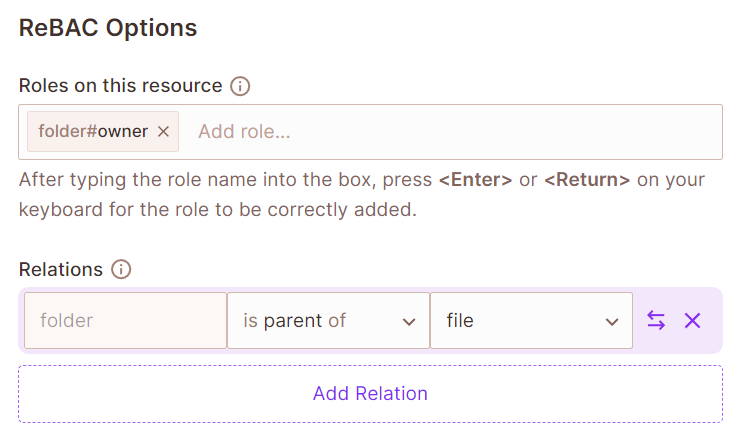
- Define a role derivation:
folder#ownerderivesfile#ownerwhen the folder is the parent of the file. See Define role derivations. - Select the Policy Editor tab. Select
create,delete,read, andupdateforfile#owneronfile, and forfolder#owneronfolder.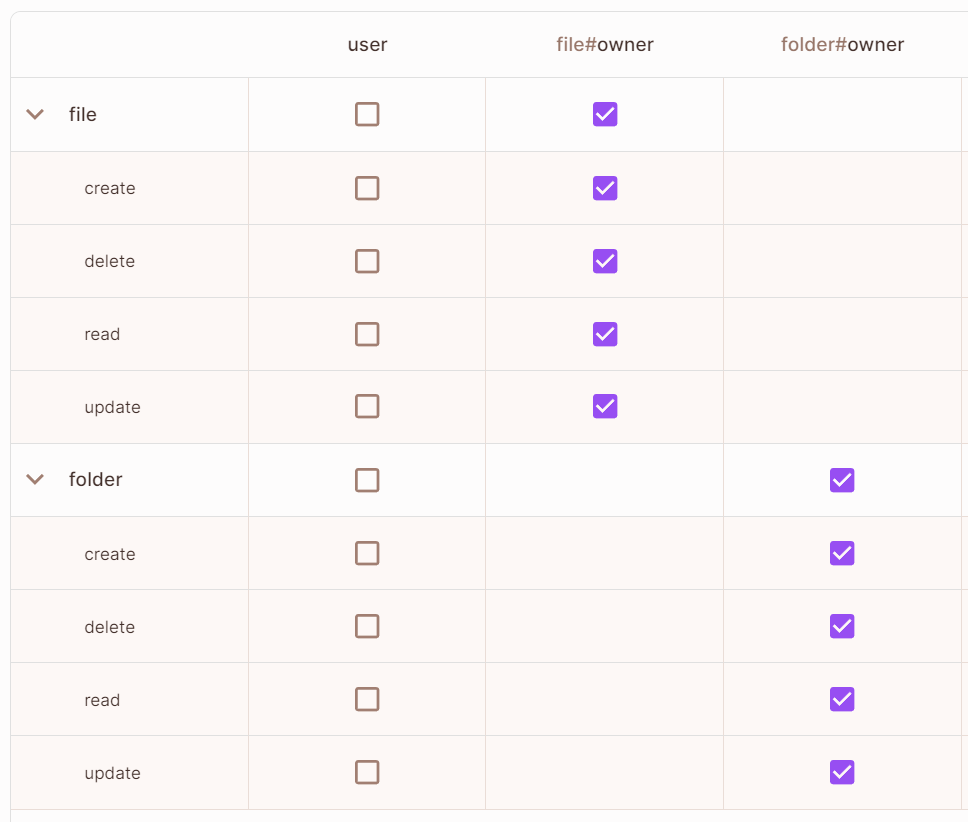
- Open the Directory screen, select the Instances tab, and create a
folderinstance with the keyBobs_Files. - On the Directory screen, click Add user. Create the user
Bob, and under Assigned Resource Roles, assignfolder:Bobs_Files#owner.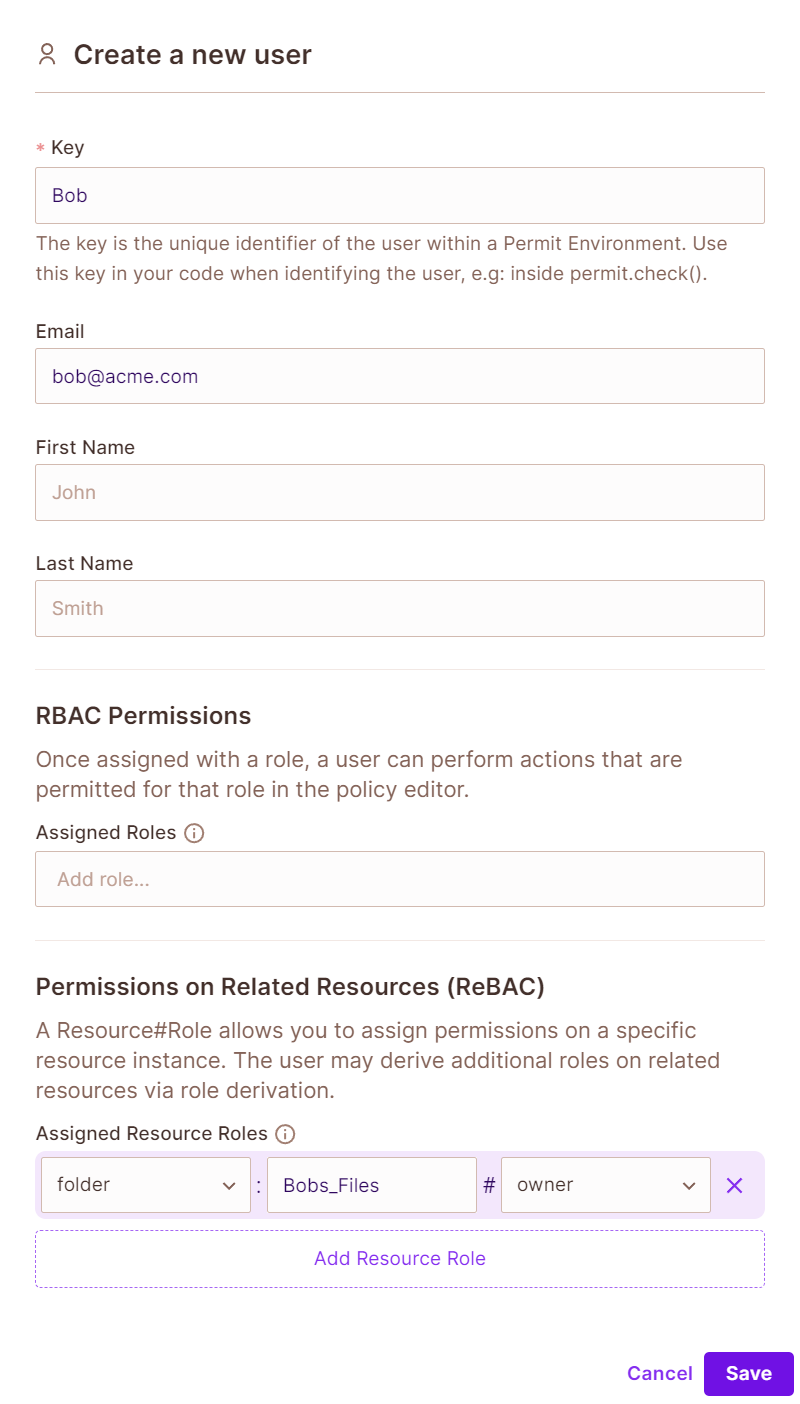
- On the Instances tab, create a
fileinstance, such asbobs_picture. Under Relationships, addfolderBobs_Filesis parent offilebobs_picture.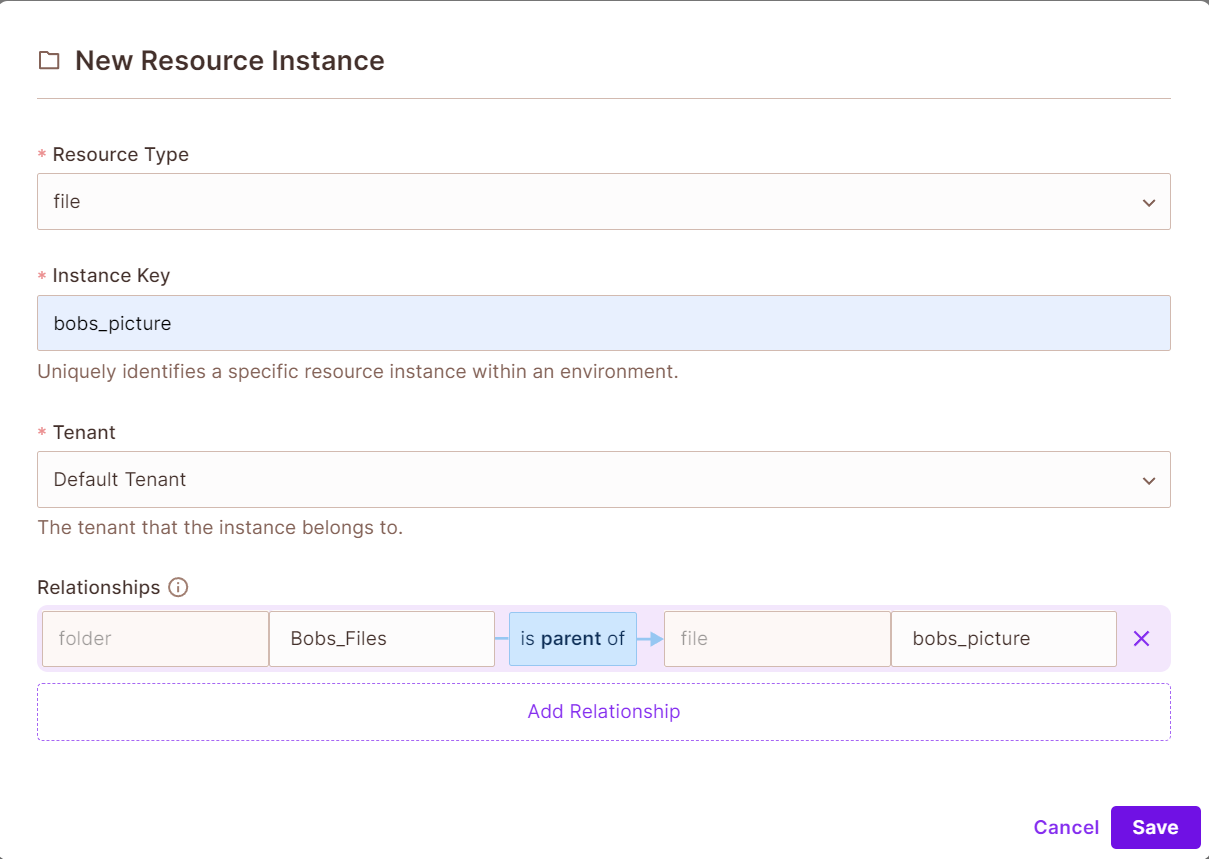
Because the Bobs_Files folder is the parent of the bobs_picture file, Bob's folder#owner role on the folder derives the file#owner role on the file. The permissions of file#owner apply to every file you add to the folder.
Verify ReBAC ownership
permit.check("Bob", "update", "file:bobs_picture")returnstrue, through the derivedfile#ownerrole.- For a file instance without a relationship to
Bobs_Files, the same check returnsfalse.
Next steps
- ABAC design patterns: other ways to model ownership with attributes.
- Building ReBAC policies: relations, resource roles, and role derivations in detail.
- Mix and Match Policies: combine ABAC and ReBAC with RBAC.