Time Based Role Example
Grant a user a role that expires at a set time, per tenant, with an attribute-based access control (ABAC) user set in Permit.io. This guide is for developers who need temporary access, such as an admin role for a support session, without removing the role assignment when the time is up.
A user set (also called a dynamic role, and userset in the API) is a condition set that matches users by their attributes. This page uses the term user set throughout.
How the time-based role works
- The user has the
adminrole in a tenant, and atime_based_groupsuser attribute. Each entry intime_based_groupsnames a role, a tenant, and an expiration time. - Each tenant has a
keytenant attribute that stores the tenant's own key. Permit doesn't add the tenant key to the tenant attributes for you, so you set thekeyattribute when you create the tenant. - Your application passes the current time as the
current_timeuser attribute in eachpermit.check()call. - The
temp-adminuser set matches the user when the user has theadminrole in the tenant of the check, and an entry intime_based_groupshas anexpiresvalue greater than or equal tocurrent_timeand atenantvalue equal to thekeytenant attribute. - When the expiration time passes, the user set stops matching, and the check returns
false.
Prerequisites
- A Permit.io account.
- A role with the key
admin. - A resource with the key
internal_api, with the actions you want to grant temporarily. The check in this guide uses thepatchaction. - Your environment API key. See Get your API key.
- A container policy decision point (PDP) running at
http://localhost:7766. The Cloud PDP doesn't evaluate ABAC policies. See Cloud PDP capabilities. - The Permit Node.js SDK (
npm install permitio). The examples use top-levelawait, so run them in an ES module. The steps in 2. Test the time-based role run in one file: thepermitclient created in the first of those steps serves the later steps too.
1. Configure the attributes and the user set
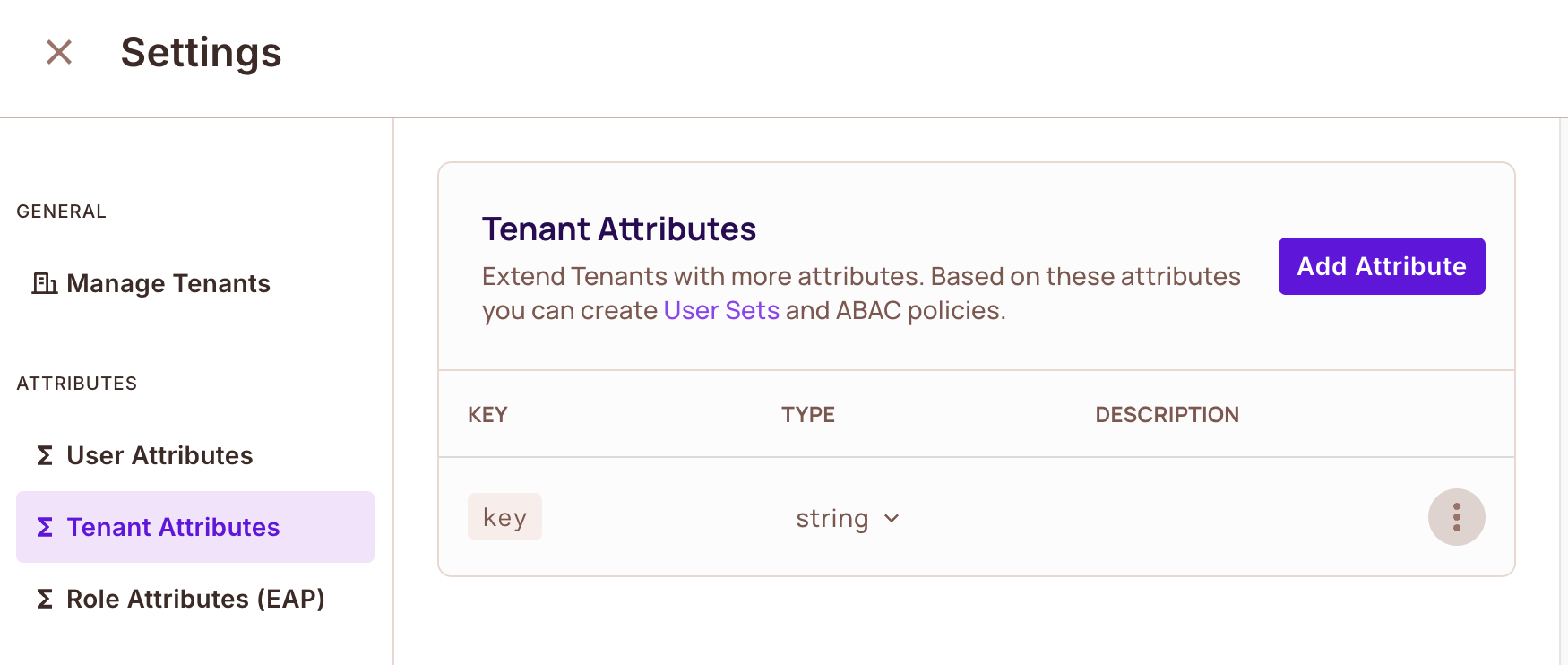
Create the key tenant attribute
- Open Tenant Attributes in the Permit dashboard.
- Create a tenant attribute named
keywith the type String. - Save the attribute. You set the value for each tenant in Create the coke tenant.
Create the time_based_groups and current_time user attributes
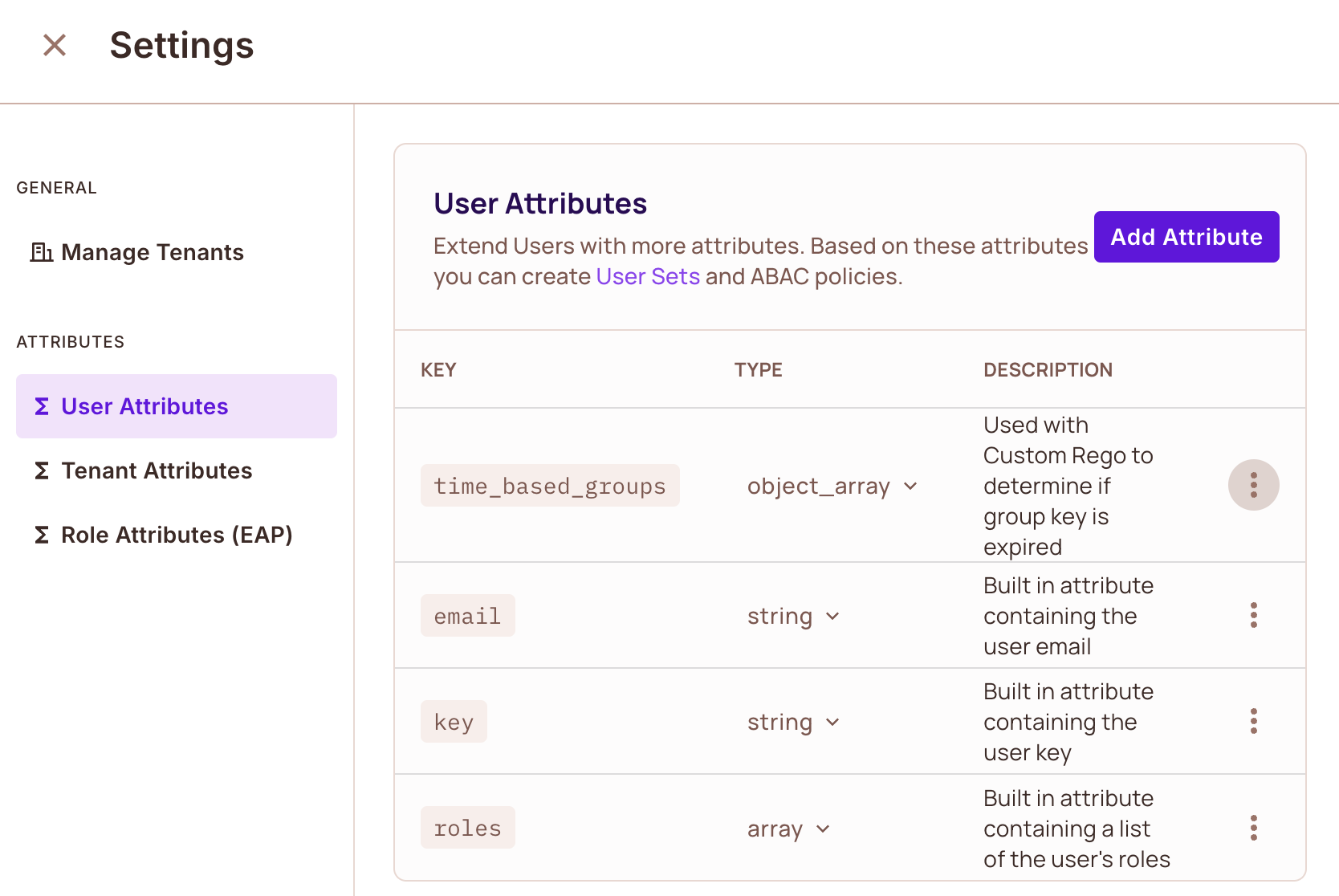
- Open User Attributes.
- Create a user attribute named
time_based_groupswith the type Object Array. - Create a user attribute named
current_timewith the type Number. Your application passes thecurrent_timevalue in each check, so you don't store a value for it. - Save the attributes.
Create the temp-admin user set with the API
The temp-admin user set matches a user based on:
- The user's role in the tenant of the check (
admin). - The
expiresvalue intime_based_groups, compared withcurrent_time. - The
tenantvalue intime_based_groups, compared with thekeytenant attribute.
Create the user set with the Permit API. The URL path contains the project key default and the environment key production: replace them with your project and environment keys. Replace <YOUR_API_KEY> with your environment API key.
curl --location 'https://api.permit.io/v2/schema/default/production/condition_sets' \
--header 'Content-Type: application/json' \
--header 'Accept: application/json' \
--header 'Authorization: Bearer <YOUR_API_KEY>' \
--data '{
  "key": "temp-admin",
  "name": "Temporary Admin",
  "type": "userset",
  "conditions": {
    "allOf": [
      {
        "allOf": [
          { "user.roles": { "array_contains": "admin" } },
          { "user.time_based_groups": { "any_match": { "match": {
            "expires": { "greater-than-equals": { "ref": "user.current_time" } },
            "tenant": { "equals": { "ref": "tenant.key" } }
          }}}}
        ]
      }
    ]
  }
}'
The API responds with a JSON object for the created user set, with "key": "temp-admin" and "type": "userset".
Grant permissions to the temp-admin user set
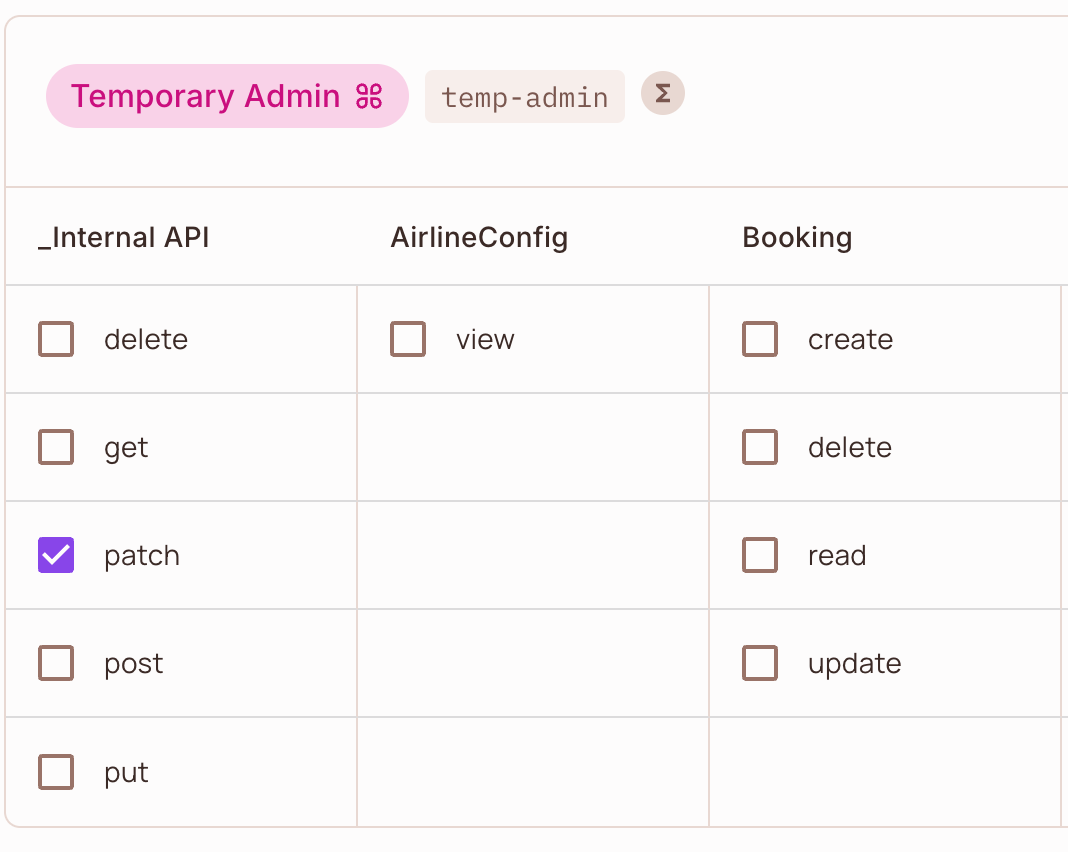
- Open the Policy Editor.
- Find the Temporary Admin user set, and select the
internal_apiactions it can perform, includingpatch. - Save your changes.
2. Test the time-based role
Create the coke tenant
Create a tenant with the key coke, and set its key tenant attribute to the same value. Replace <YOUR_API_KEY> with your environment API key.
import { Permit } from "permitio";

const permit = new Permit({
  token: "<YOUR_API_KEY>",
  pdp: "http://localhost:7766",
});

await permit.api.tenants.create({
  key: "coke",
  name: "Coke",
  attributes: {
    key: "coke",
  },
});
To use the time-based role in a tenant that already exists, set the key tenant attribute with permit.api.tenants.update(), or in the dashboard. See Define stored tenant attributes.
Create a user with the admin role and a time_based_groups entry
Create the user george@test.com with a time_based_groups entry for the coke tenant that expires one hour from now, and assign the user the admin role in the coke tenant:
const ONE_HOUR_MS = 60 * 60 * 1000;

await permit.api.users.sync({
  key: "george@test.com",
  attributes: {
    time_based_groups: [
      {
        role: "admin",
        tenant: "coke",
        expires: Date.now() + ONE_HOUR_MS,
      },
    ],
  },
});

await permit.api.users.assignRole({
  user: "george@test.com",
  role: "admin",
  tenant: "coke",
});
expires is a Unix timestamp in milliseconds, the format Date.now() returns. Pass current_time in permit.check() in the same format. If the two values use different units, the comparison gives wrong results.
Run permit.check() with the current time
Run a check for george@test.com in the coke tenant. The resource type is the key of your resource (internal_api). The call passes the current time as the current_time user attribute:
const permitted = await permit.check(
  // User object
  {
    key: "george@test.com",
    attributes: {
      current_time: new Date().getTime(),
    },
  },
  // Action
  "patch",
  // Resource
  {
    type: "internal_api",
    tenant: "coke",
  }
);
permitted is true, because the coke entry of time_based_groups expires one hour after you created the user.
Verify that the role expires
Set the expires value of the coke entry to a time in the past, then run the same check again:
await permit.api.users.update("george@test.com", {
  attributes: {
    time_based_groups: [
      {
        role: "admin",
        tenant: "coke",
        expires: Date.now() - 1000,
      },
    ],
  },
});
After the PDP receives the updated user data, the check returns false. The following table lists the results of the check:
| Condition at check time | Result |
|---|---|
The coke entry's expires is later than current_time | true |
The coke entry's expires is earlier than current_time | false |
The user has no time_based_groups entry for the tenant of the check | false |
The tenant of the check has no key tenant attribute | false |
When you grant temporary access in production, update time_based_groups with the Permit API, and set expires to the current time plus the access duration.
Next steps
- Defining attributes: store user and tenant attributes, or pass them in the check.
- ABAC condition operators: the operators the user set uses, including
any_match. - ABAC design patterns: ownership, groups, and custom Rego attributes.
- Check permissions with permit.check(): all check options.