RBAC Components
Learn the three components of a role-based access control (RBAC) policy in Permit.io: roles, resources, and actions. This page is for developers who are about to build an RBAC policy and need the definitions first.
What makes up an RBAC policy?
An RBAC policy is made up of roles, resources, and actions. Each permission in the policy states that a role can perform an action on a resource.
Keyword definitions
| Term | Definition | Example |
|---|---|---|
| Role | A named set of permissions that you assign to users, based on their responsibilities. In the Permit dashboard, a role that applies across a whole tenant is a top-level role, shown as Top Level Access on the Directory screen. A role on a single resource instance is a resource role, used in relationship-based access control (ReBAC). | admin, writer, reader |
| Resource | An object type you want to control access to. | document, article, card |
| Action | An operation a user can perform on a resource. Each resource has its own actions. | read, edit, delete |
You create all three on the Policy screen: resources and their actions on the Resources tab, roles on the Roles tab. Roles are defined per environment.
Example: a writing application
A writing application lets users read, edit, and delete articles. The application has two roles, writer and reader. The following table shows which actions each role can perform on the article resource:
| Action | Writer | Reader |
|---|---|---|
| Edit | Yes | No |
| Delete | Yes | No |
| Read | Yes | Yes |
To apply this policy, you assign the writer or reader role to each user.
RBAC components in the Policy Editor
In the Policy Editor, each role has a checkbox for every action of every resource in the environment. When you add a role or a resource, the Policy Editor adds the matching checkboxes. Select a checkbox to allow the role to perform that action on that resource.
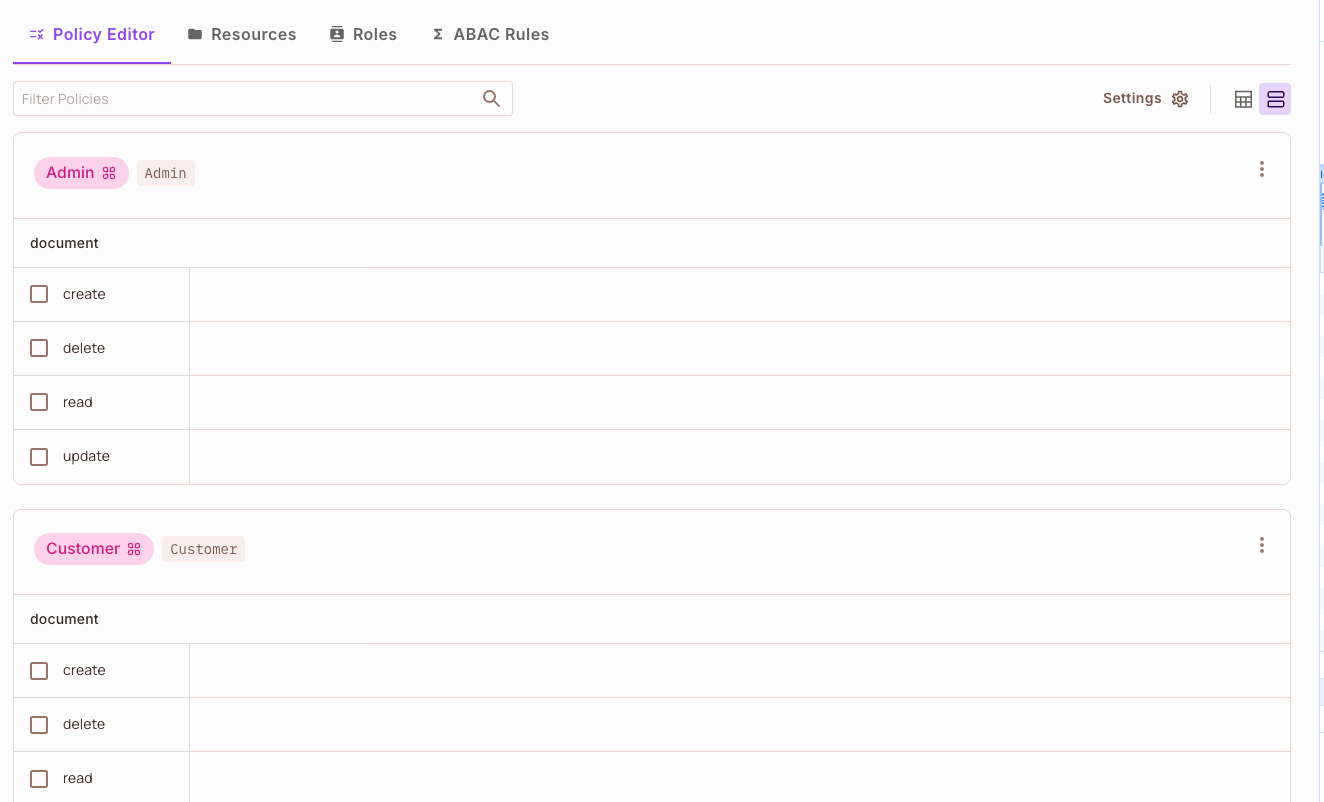
To try the Policy Editor in an interactive demo, see the RBAC overview.
Next steps
- Building an RBAC policy: create roles, a resource, permissions, and a user.
- Policy basics: resources, actions, roles, users, and tenants in the Permit dashboard.
- Mix and Match Policies: combine RBAC with attribute-based and relationship-based rules.