Protect an AWS API Gateway with a Permit Lambda authorizer
Authorize requests to an Amazon API Gateway REST API with a Lambda authorizer that calls Permit.io. This page is for developers who run APIs on AWS API Gateway and want each request checked against a Permit policy before it reaches the backend. You build a Python Lambda function that calls permit.check(), then attach the function to an API method as a Lambda authorizer.
Prerequisites
- An AWS account with access to the Lambda and API Gateway consoles
- Python and
venvon your local machine, to build the Lambda layer - A Permit.io policy with the resources and actions the API exposes (Configure your first RBAC policy)
- Your environment API key (Get your API key)
1. Create the Permit authorizer function
The authorizer is a Lambda function that uses the Permit Python SDK to check the caller's permissions.
Create a Lambda function
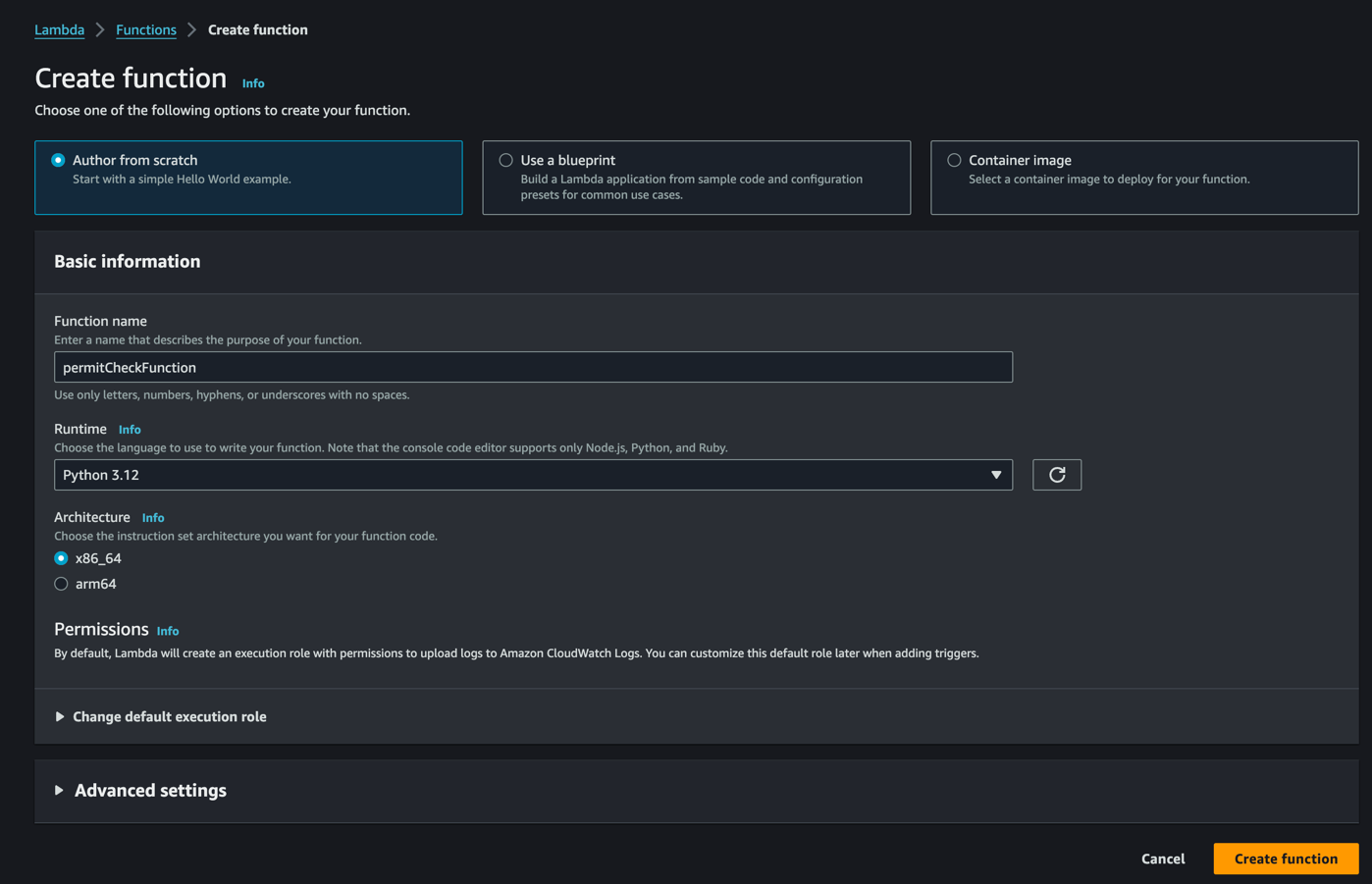
Create a Lambda function. This example uses the Python 3.12 runtime. Permit also has SDKs for other languages that you can use with other Lambda runtimes.
Build a Lambda layer with the Permit SDK
The Lambda Python runtime doesn't include the permit package, so you package the SDK as a Lambda layer. You build the layer once, on your local machine.
Create a directory and a virtual environment:
mkdir permit-lambda
cd permit-lambda
python -m venv venv
source venv/bin/activate
Install the Permit SDK into a python directory, the directory name Lambda layers use for Python packages:
pip install permit -t python
Create a zip file that contains the SDK and its dependencies:
zip -r layer python/
The command creates layer.zip.
Upload the layer
-
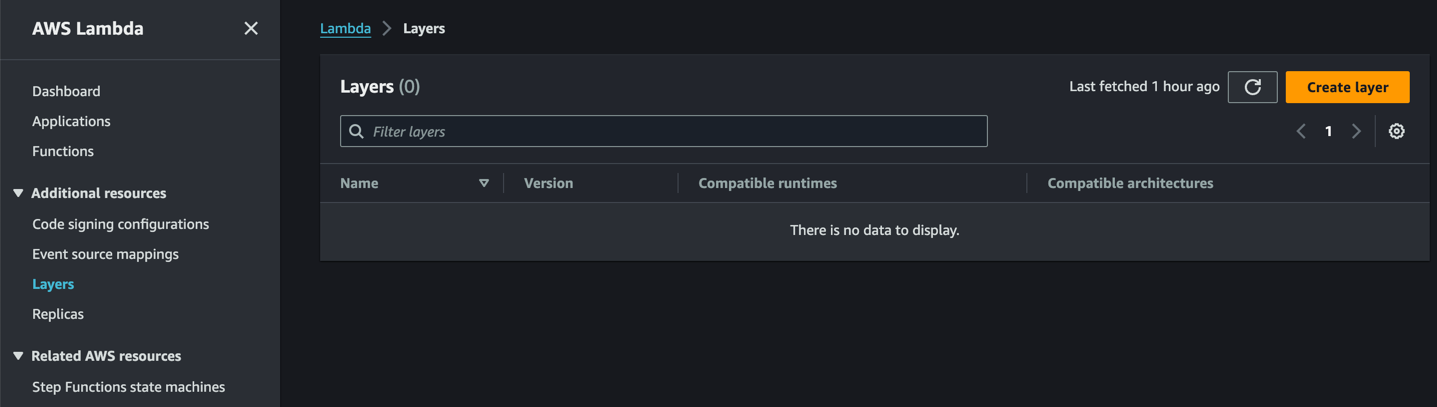
In the AWS Lambda console, click Layers in the left-hand menu, then click Create layer.
-
Upload
layer.zip, and give the layer a name and a description.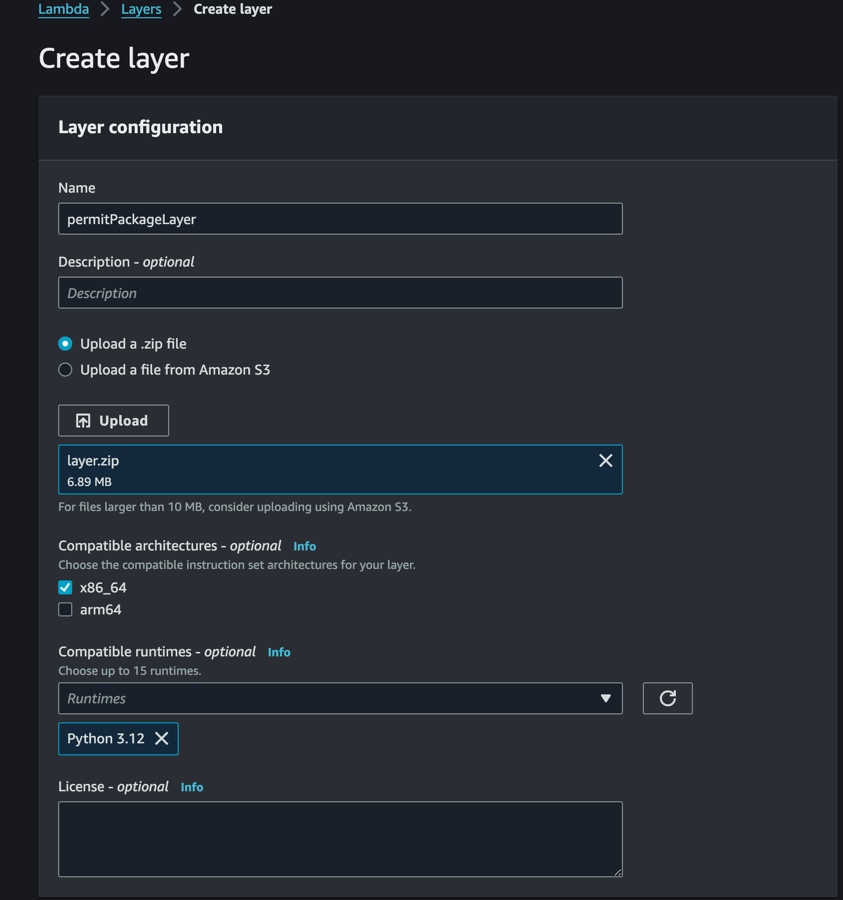
Attach the layer to the Lambda function
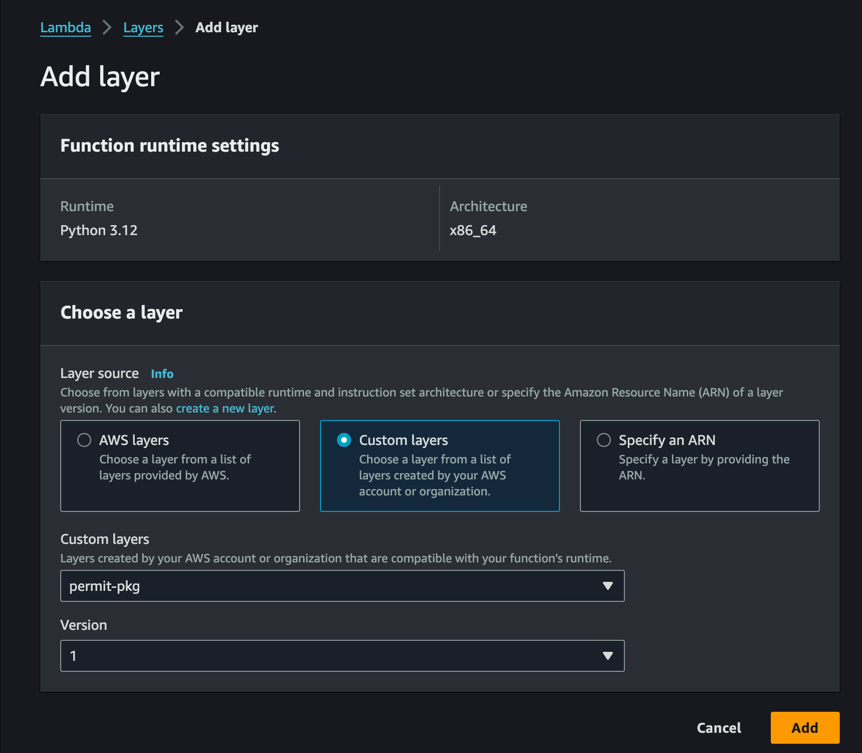
Open the Lambda function, click Add a layer, choose the layer you uploaded, and click Add.
Write the authorizer code
The following function creates a Permit client and checks whether the user can perform an action on a resource:
import asyncio
from permit import Permit

def check_permissions(event, context):
    permit = Permit(
        pdp="https://cloudpdp.api.permit.io",
        token="permit_key_xxxxx", # replace with your API key
    )

    headers = event.get("headers") or {}
    # Replace with the user key from your verified token
    user_key = headers.get("x-user-key")
    action = event["httpMethod"].lower()
    resource = event["resource"].strip("/").split("/")[0] or "index"

    allowed = asyncio.run(permit.check(user_key, action, resource))

    return {
        "principalId": user_key or "anonymous",
        "policyDocument": {
            "Version": "2012-10-17",
            "Statement": [
                {
                    "Action": "execute-api:Invoke",
                    "Effect": "Allow" if allowed else "Deny",
                    "Resource": event["methodArn"],
                }
            ],
        },
    }
About the Lambda function code:
- Replace
permit_key_xxxxxwith your environment API key. In production, load the API key from an environment variable or AWS Secrets Manager. Anyone with the API key can change the policy of that environment through the Permit API. permit.check()in the Python SDK is an async method, so the function runs it withasyncio.run().- The function reads the request fields of a
Requestauthorizer event: the user key from a header (replace it with the user key from your verified token), the action from the HTTP method, and the resource type from the first path segment. - The client sends checks to the Permit Cloud PDP, which Permit hosts. The Cloud PDP evaluates role-based access control (RBAC) and relationship-based access control (ReBAC) policies. It doesn't evaluate attribute-based access control (ABAC) policies. See Cloud PDP capabilities.
- A REST API Lambda authorizer returns an AWS Identity and Access Management (IAM) policy that allows or denies
execute-api:Invokeon the method. See Lambda authorizer output in the AWS documentation.
Deploy the Lambda function
Click Deploy in the top-right corner of the Lambda function page.
2. Attach the authorizer to API Gateway
Create a REST API
In the AWS console, open the API Gateway service and click Create API. Choose REST API and create the API.
Create a Lambda authorizer
- In the API Gateway console, click Authorizers in the left-hand menu, then click Create authorizer.
- Set Authorizer type to Lambda, and choose the Lambda function you deployed.
- Set Lambda event payload to Request, and add
x-user-keyas a header identity source. The authorizer code on this page reads the user key from thex-user-keyheader, and API Gateway returns HTTP401without calling the authorizer when a request is missing an identity source. If you set the identity source to theAuthorizationheader instead, change the authorizer code to verify that token and read the user key from its claims. - Click Create authorizer.
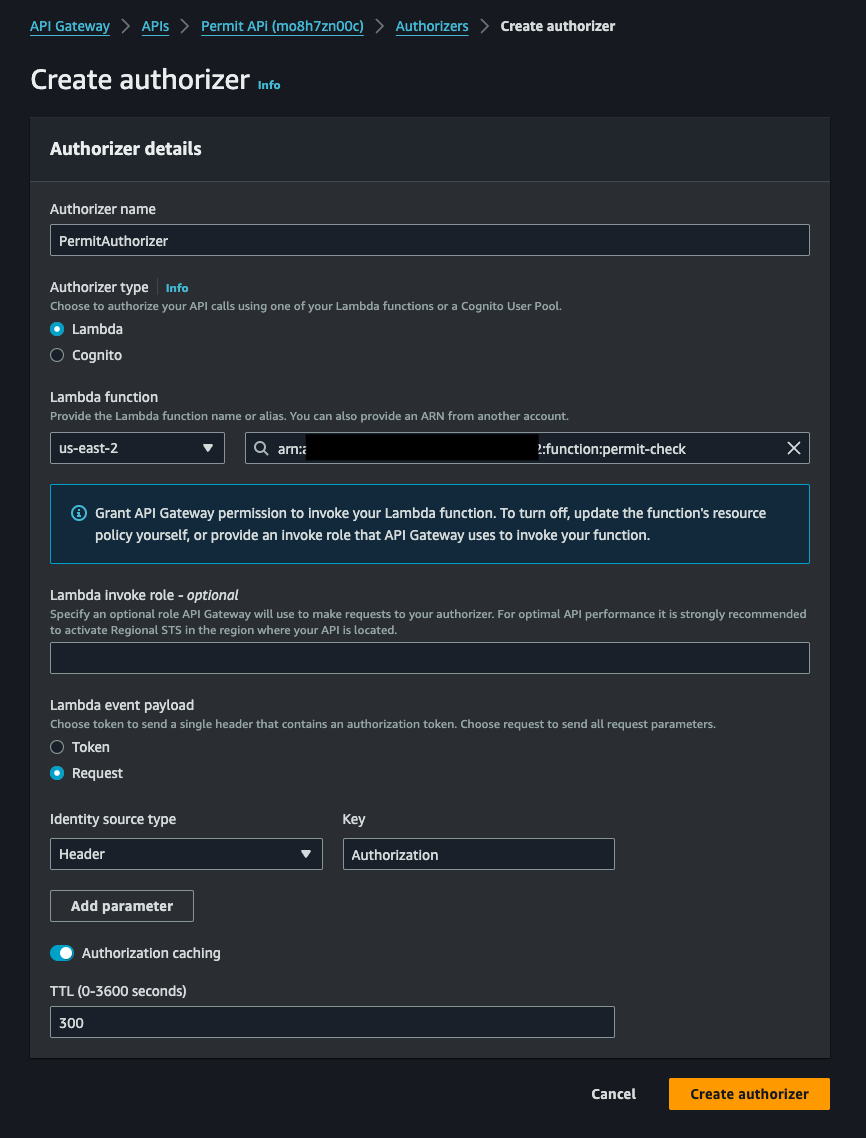
The screenshot shows the Authorization header as the identity source. Use x-user-key instead, so the identity source matches the header the example authorizer reads.
Attach the authorizer to a method
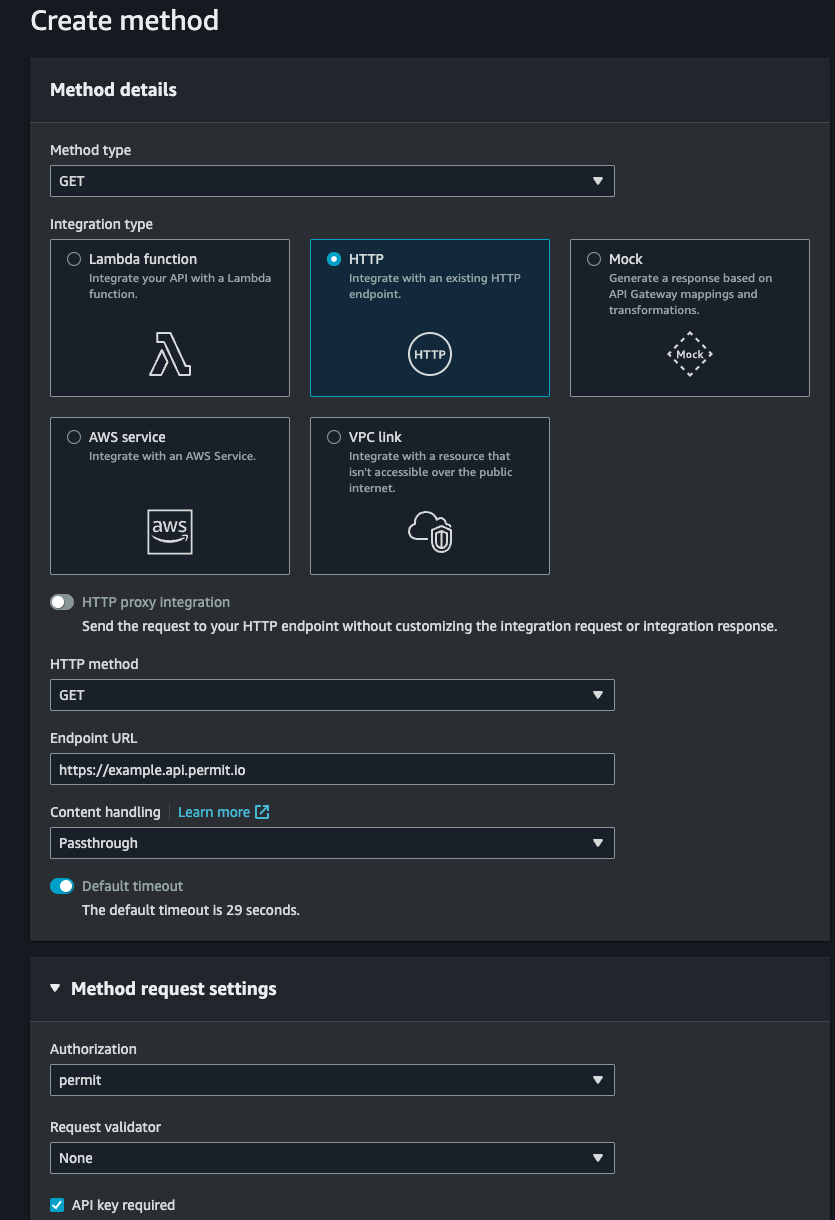
- Click Resources in the left-hand menu, and select the resource to protect.
- Create a method, and under Method request settings, set Authorization to the authorizer you created.
- Click Deploy API to deploy the API to a stage.
3. Verify the authorizer
- In the API Gateway console, open Authorizers, select the authorizer, and click Test. In the
x-user-keyfield, enter the Permit user key of a user who has permission for the action on the resource. The result shows a policy with"Effect": "Allow". - Test again with the user key of a user who doesn't have that permission. The result shows
"Effect": "Deny". - Send a request to the deployed stage URL with the
x-user-keyheader set to the user without permission. API Gateway returns HTTP403. - Open the Audit Log screen in the Permit dashboard. Each check appears with the user, action, resource, and decision.
Check ABAC and ReBAC policies
Choose a PDP for ABAC and ReBAC checks
The example checks an RBAC policy. The authorizer can also check ABAC and ReBAC policies:
| Policy model | PDP to use |
|---|---|
| RBAC | Cloud PDP or an Edge PDP |
| ReBAC | Cloud PDP or an Edge PDP |
| ABAC | An Edge PDP that you deploy. Point the SDK pdp URL at the Edge PDP. |
To pass attributes and resource instances to permit.check(), see Check an ABAC permission with attributes and Check a ReBAC permission on a resource instance.
Deploy the PDP for production
For production, deploy your own PDP and point the authorizer's SDK client at the PDP URL. Deploy the PDP in the same AWS Region as the Lambda function, and in the same VPC when the function runs in a VPC, so checks don't leave your network. See Deploy the PDP to production and the cloud host deployment guides.