Authorize Kong Gateway requests with Permit
Authorize requests that pass through Kong Gateway with a Permit.io policy, without adding permission checks to your service code. This page is for developers who already route and authenticate traffic with Kong. You run the Permit policy decision point (PDP) next to Kong, put a reverse proxy in front of the PDP to add the PDP API key, then configure the Kong Open Policy Agent (OPA) plugin on a route to ask the PDP about each request.
The PDP answers any request to /kong that has no Authorization: Bearer <API key> header with HTTP 401. In the PDP repository, horizon/tests/test_enforcer_api.py lists /kong in PROTECTED_ENFORCER_ENDPOINTS and test_enforcer_endpoint_missing_token_returns_401 asserts the 401 for every endpoint in that list. The Kong OPA plugin has no configuration field for the headers it sends to OPA, so a plugin pointed straight at the PDP gets 401 on every request, and the plugin turns any non-200 answer into HTTP 500 for the client. Point the plugin at a reverse proxy that adds the header, as 2. Add the API key with a reverse proxy describes. Without that proxy, every request through the protected route fails.
How the Kong integration works
The Permit PDP is built on OPA, so Kong's standard OPA plugin can call it. When the PDP runs with the Kong integration enabled, it exposes a /kong endpoint that reads the input the OPA plugin sends and runs a permission check:
| Check field | Value the PDP uses |
|---|---|
| User | The username of the Kong consumer that made the request |
| Action | The HTTP method of the request, in lowercase (for example, get or post) |
| Resource type | Derived from the request path (see Map request paths to resources) |
| Tenant | default |
The PDP answers with the decision in a result field. When the PDP allows the request, Kong forwards it to your service. When the PDP denies it, Kong returns HTTP 403. You manage the policy in the Permit dashboard, and Permit keeps it as policy as code.
Prerequisites
- Kong Gateway configured to route requests to your backend, with authentication handled by Kong so each request has a consumer
- The Kong OPA plugin, which Kong provides on Kong Gateway Enterprise
- Docker on a host that Kong can reach, for the PDP and the reverse proxy
- A Permit.io policy with resources named after your route paths, and actions named after lowercase HTTP methods (Configure your first RBAC policy)
- Your environment API key (Get your API key)
1. Run the PDP next to Kong
The PDP is a container that makes authorization decisions. Permit's cloud configures it, and the PDP evaluates checks locally with the policy it has received.
Run the PDP with the Kong integration enabled. Replace YOUR_PERMIT_API_KEY with your environment API key:
docker run \
  -p 7766:7000 \
  --env PDP_API_KEY=YOUR_PERMIT_API_KEY \
  --env PDP_DEBUG=True \
  --env PDP_KONG_INTEGRATION=true \
  permitio/pdp-v2:latest
The command maps port 7766 on the host to the PDP's port 7000. PDP_KONG_INTEGRATION=true enables the /kong endpoint. Without it, the PDP answers /kong requests with HTTP 503.
2. Add the API key with a reverse proxy
Kong sends no Authorization header to the PDP, so put a proxy between Kong and the PDP that adds one. The following NGINX configuration listens on port 8080, adds the API key, and forwards to the PDP on 7766. Replace YOUR_PERMIT_API_KEY with your environment API key, and PDP_HOST with the host that runs the PDP:
events {}

http {
    server {
        listen 8080;

        location /kong {
            proxy_pass http://PDP_HOST:7766/kong;
            proxy_set_header Authorization "Bearer YOUR_PERMIT_API_KEY";
        }
    }
}
Save the configuration as pdp-proxy.conf and run it as a container on a host Kong can reach:
docker run \
  -p 8080:8080 \
  -v "$PWD/pdp-proxy.conf:/etc/nginx/nginx.conf:ro" \
  nginx:stable
Check that the proxy reaches the PDP and authenticates. The request body below is not a valid Kong query, so the PDP rejects the body rather than the caller:
curl -i -X POST http://localhost:8080/kong -H "Content-Type: application/json" -d '{}'
Read the status line: 401 means the API key in proxy_set_header is missing or wrong, and any other status means the proxy added a key that the PDP accepted. A connection error means the proxy can't reach the PDP at the proxy_pass address.
Anyone who can reach the proxy can send permission checks to your PDP, and anyone who can read pdp-proxy.conf can change that environment's policy through the Permit API. Run the proxy on a network that only Kong can reach, and keep the configuration file out of source control.
3. Add the OPA plugin to a Kong route
In Kong Manager, open the route you want to protect and add a plugin. The Add plugin link is in the Plugins section of the route page.
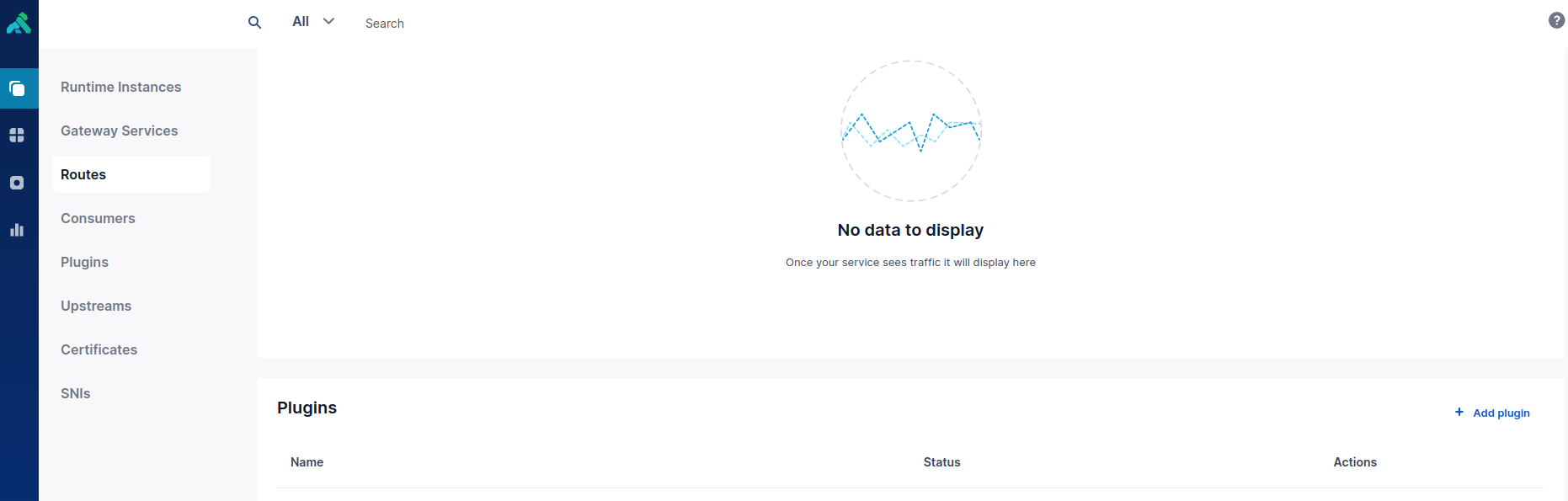
Choose the OPA plugin and set these fields to the address of the reverse proxy from step 2, not the address of the PDP:
| Plugin field | Value | Why |
|---|---|---|
Config.include Consumer In Opa Input | Checked | The PDP uses the consumer's username as the user key. Without the consumer, the PDP denies every request. |
Config.Opa Host | The IP address or host name of the reverse proxy, for example 192.168.60.231 | Where Kong sends the check |
Config.Opa Port | 8080 | The port the reverse proxy listens on |
Config.Opa Path | /kong | The PDP endpoint for Kong |
Config.Opa Protocol | http | The protocol between Kong and the reverse proxy |
4. Verify the permission check
- Send a request through the Kong route as a consumer who has permission for the action on the resource. Kong forwards the request to your service.
- Send the same request as a consumer without that permission. Kong returns HTTP
403. - Open Audit Log in the Permit dashboard. Each request appears as a decision with the consumer's username, the lowercase HTTP method, and the resource type. See View and filter audit logs.
Use this table when a request through the route fails:
| Symptom | Cause | Fix |
|---|---|---|
Kong returns 500 for every request | The plugin points at the PDP instead of the reverse proxy, so the PDP answers 401 | Set Config.Opa Host and Config.Opa Port to the reverse proxy from step 2 |
Kong returns 500 and the PDP logs nothing | Kong can't reach the reverse proxy, or the proxy can't reach the PDP | Run the curl check in step 2 from the Kong host |
The proxy container exits with host not found in upstream | NGINX resolves the proxy_pass host at startup, and the host in the configuration doesn't resolve | Replace PDP_HOST with a host name or IP address the proxy container can resolve |
The PDP logs Got request from Kong with no consumer | The plugin doesn't include the consumer | Check Config.include Consumer In Opa Input in the plugin configuration |
The PDP logs no matching route | No rule in kong_routes.json matches the request path | Add a rule for the path to the route mapping file |
Map request paths to resources
The PDP picks the resource type from the request path with the first matching rule:
| Request path | Resource type |
|---|---|
/v<number>/<segment>..., for example /v1/repo/42 | <segment> (repo) |
/<segment>..., for example /repo | <segment> (repo) |
/ | index |
The rules come from the file /config/kong_routes.json in the PDP container, which holds a JSON array of [regular expression, resource] pairs. The resource element is either a resource type name or the index of a capture group whose value is the resource type. The default file is:
[
	["/v\\d+/([^/]+).*", 0],
	["/([^/]+).*", 0],
	["/", "index"]
]
To use your own mapping, mount a replacement file over /config/kong_routes.json when you run the PDP container, for example -v "$PWD/kong_routes.json:/config/kong_routes.json:ro". The PDP reads the file at startup, so restart the container after you change it. If no rule matches a path, the PDP denies the request.